Category Archives: Allgemein @en

How to activate Adobe Flash

Asterix & Friends currently needs the Adobe Flash Player to run on PC in the browser. Unfortunately more and more browsers are de-activating flash support which makes the activation more complex. You can find the detailed steps how to activate Flash here: https://www.asterix-friends.com/de/adobe-flash.

We are currently working on a version of the game that runs on the Unity engine and therefore does not need Adobe Flash to run. Until it is released you may also try the game inside Facebook Game Room or on iOS and Android devices.


Please reset your password

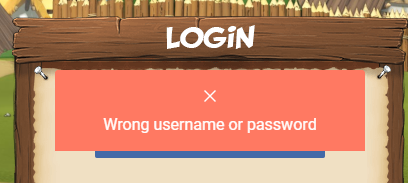
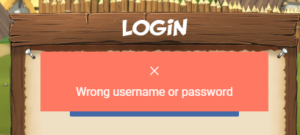
As announced you will not be able to log in with your old password anymore after the maintenance. An error message will be displayed: “Wrong username or password”. Don’t panic! All you need to do is to reset your password.
Wrong username or password

Wrong username or password

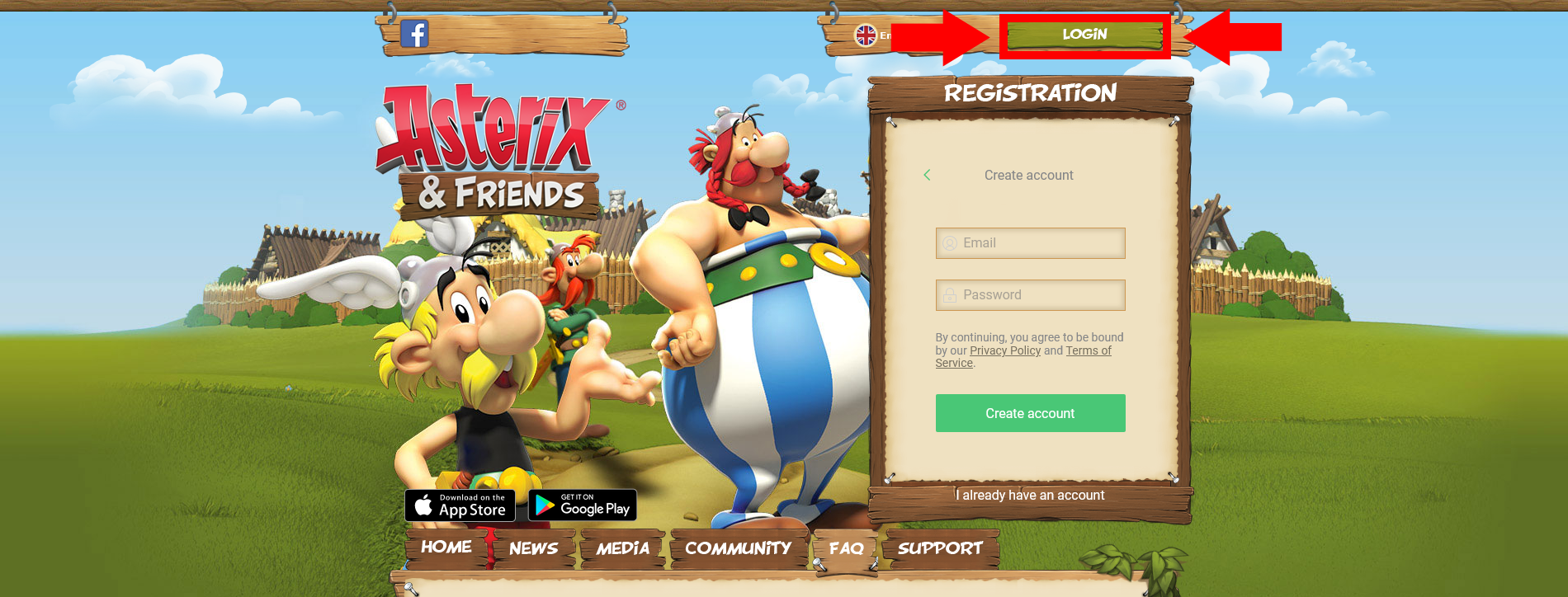
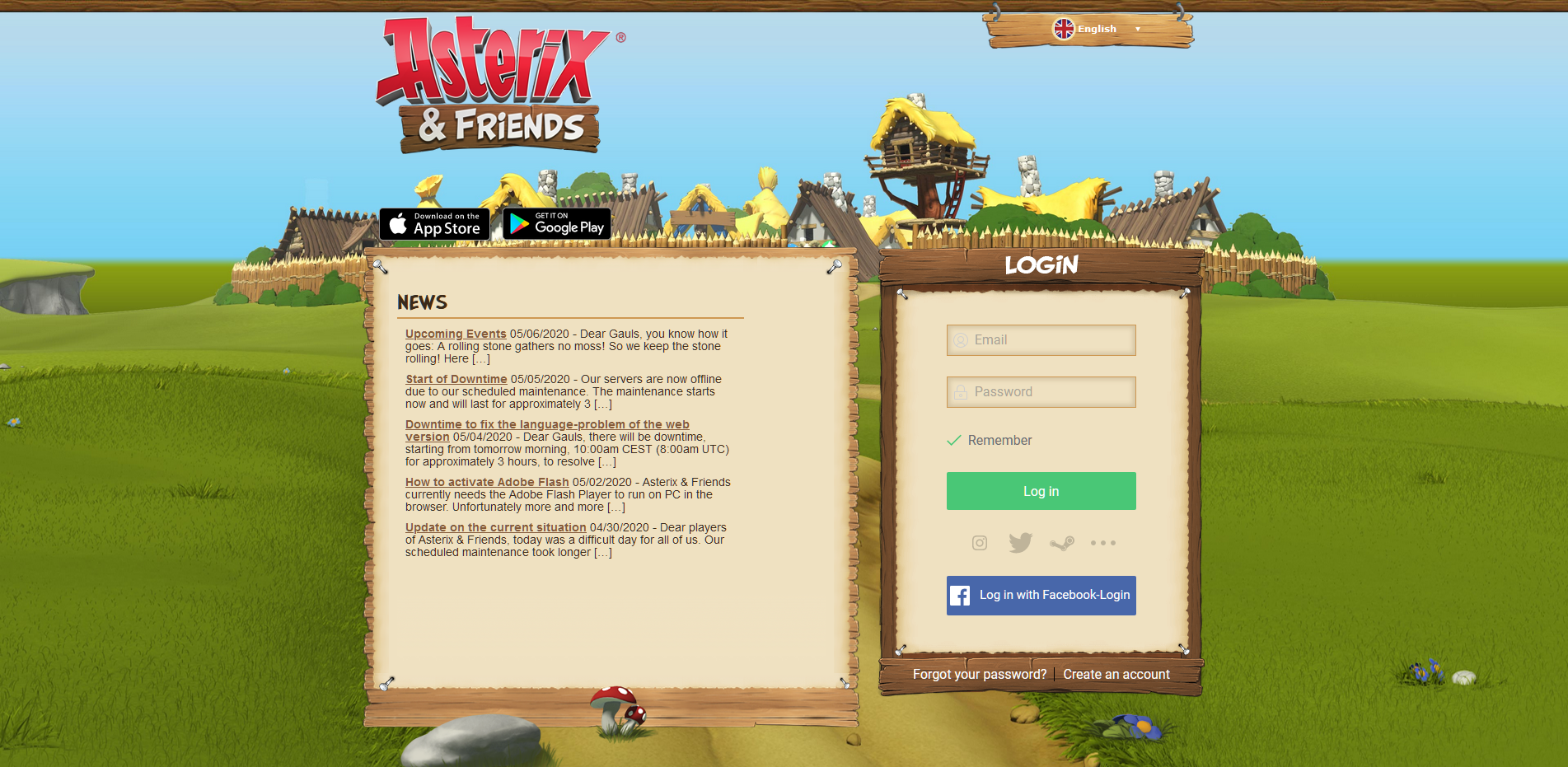
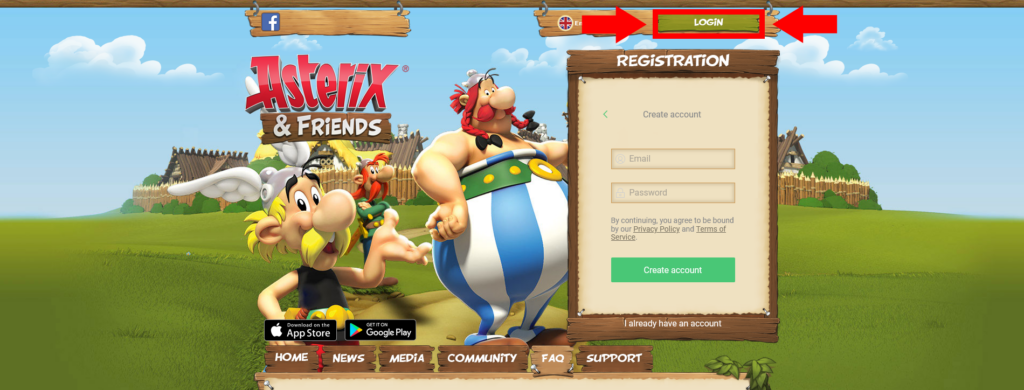
1. Click on the green “LOGIN” Button on the mainpage (www.asterix-friends.com) to get to the Login Page (www.asterix-friends.com/en/login):
Login Button on Main Page

The button leading to the login page

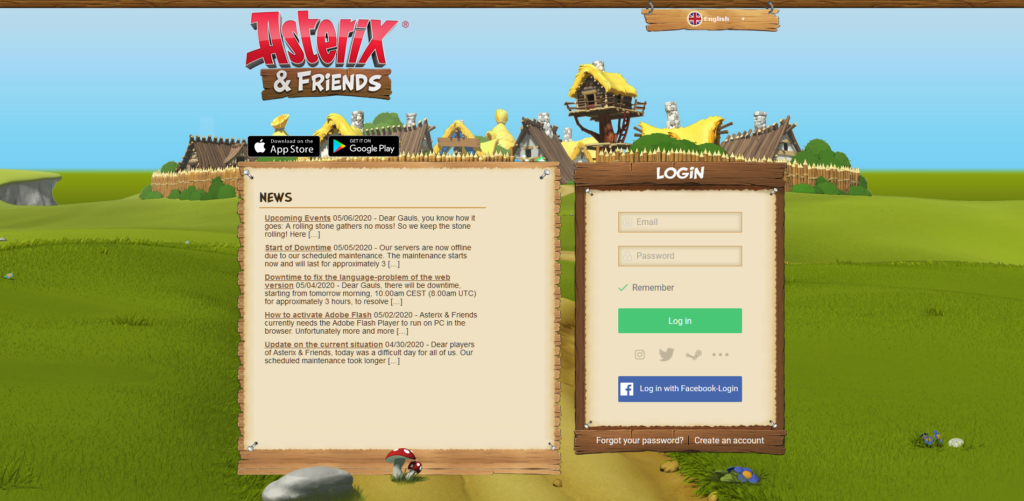
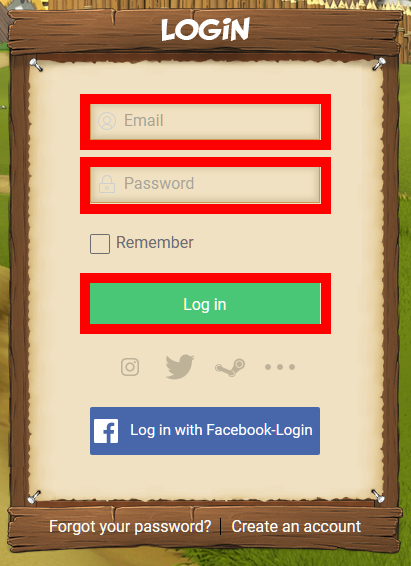
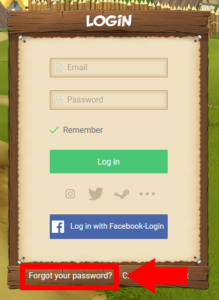
The Login Page

The Login Page

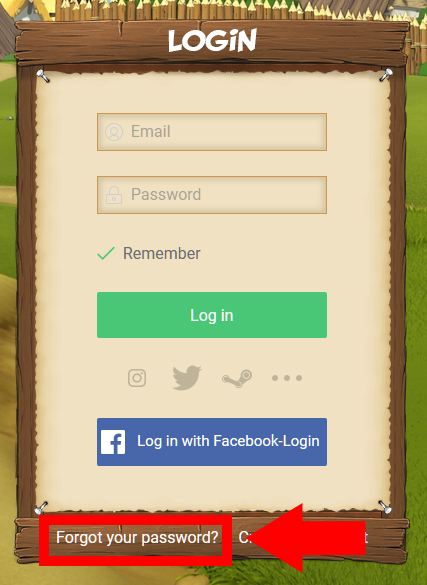
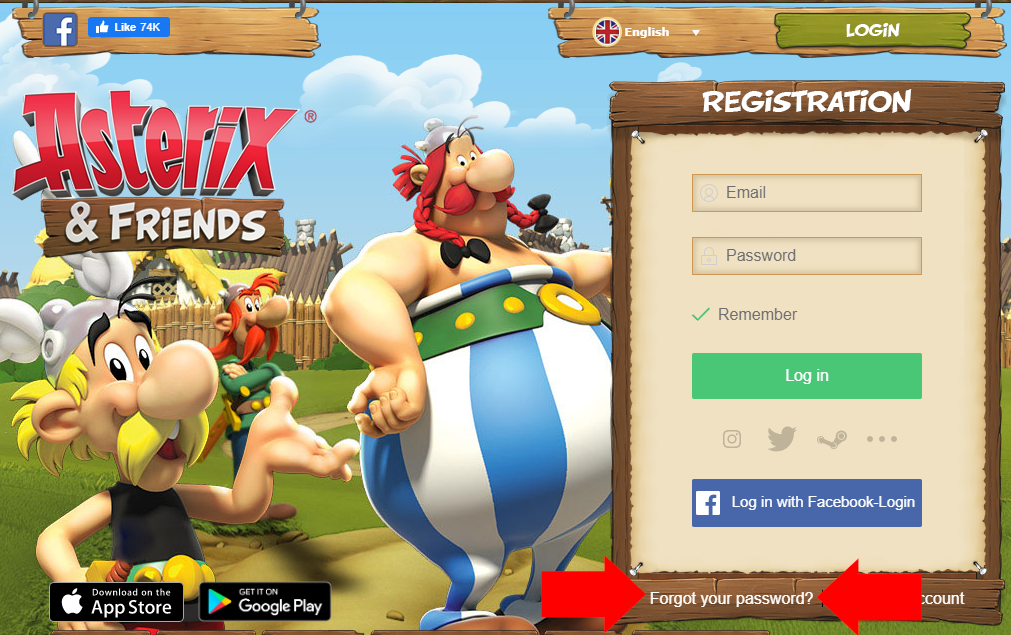
2. Click “Forgot your password?” at the bottom left of the LOGIN box.
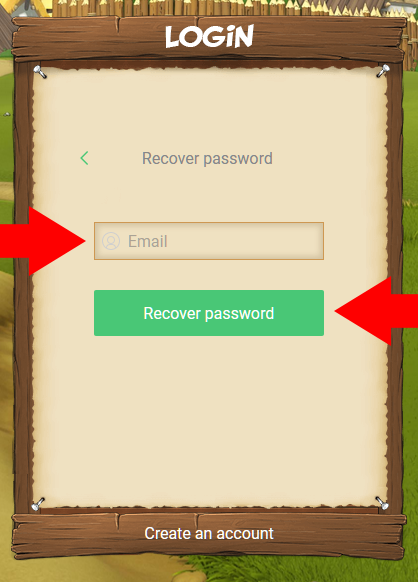
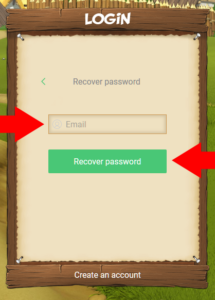
3. Enter your email address and click “Recover password”.
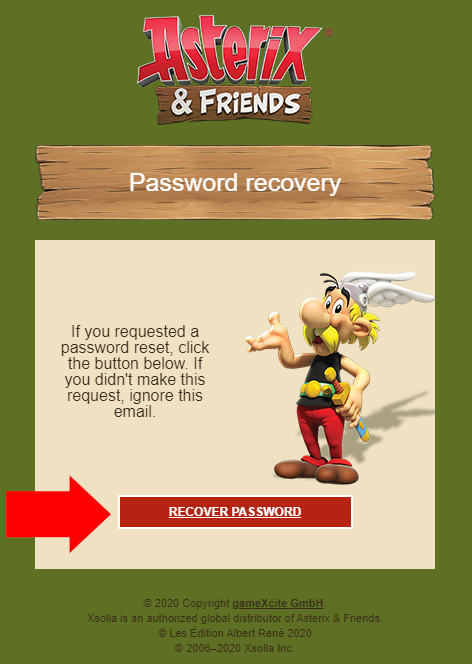
4. Check your mail inbox and in the password recovery email click “Recover password”.

Please make sure to also check the spam folder of your mail provider. If you use an e-mail program like Outlook or Thunderbird, it might not retrieve mails from the spam folder, depending on your settings. In this case, please also check the spam folder of your e-mail inbox in your browser on the website of your mail provider. 
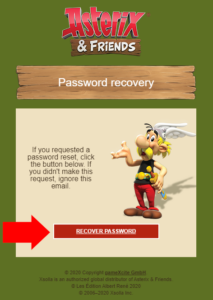
Recover Password

This button in the e-mail you receive opens the page in your browser to set your new password.

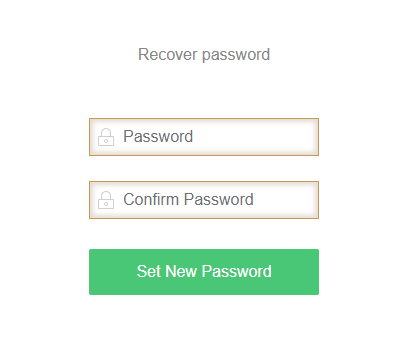
5. Enter your new password and click “Set New Password”.
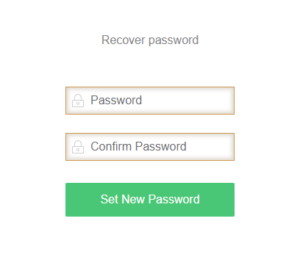
Enter your new password

Enter your new password in the “Password” and “Confirm Password” field.

6. Go back to the login page (www.asterix-friends.com/en/login) and log in with your email address and your new password.
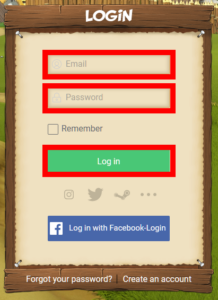
Login

Login with your e-mail and the new password.

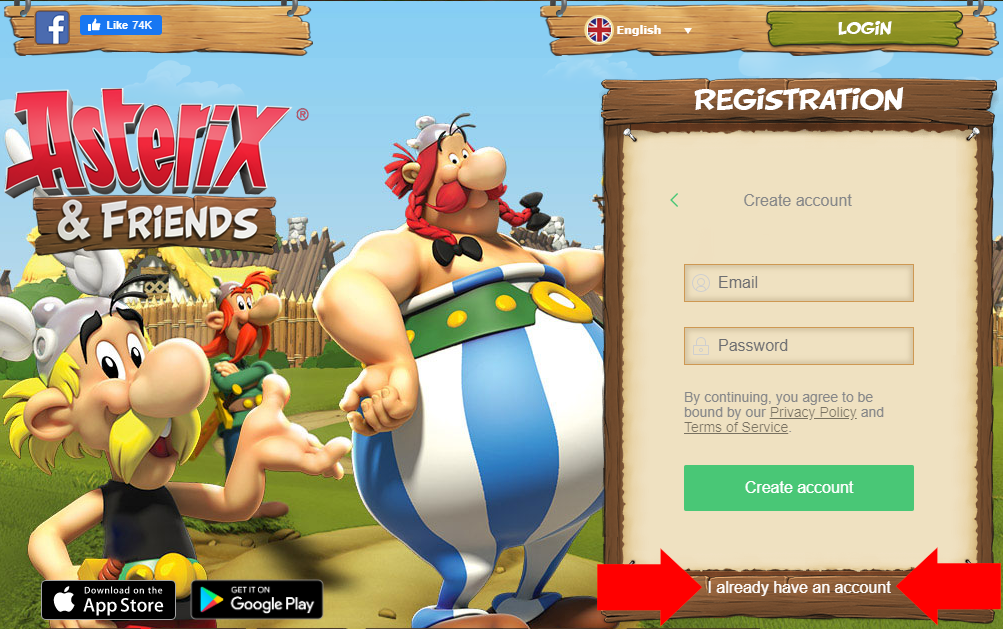
Please note: There is an alternative method to log in. In the main page in the “Registration” box, you can switch the box from registration to login by clicking on “I already have an account”. 
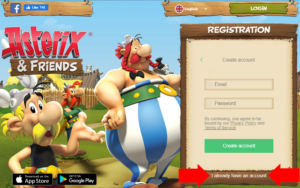
Switching from Registration to Login

Switching to Login on the Main Page

The Box will now look just like the Login box on the separate Login Page. Please note though, that the Box will still shows “Registration” at the top border. After that, please continue with Step 2 above.
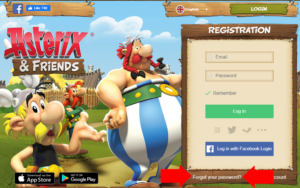
Box on Main Page switched to Login

The Box has switched to Login and now shows the “Forgot Password” button.


Purchases temporarily unavailable

Ingame offers cannot be purchased for approximately a week by users, who play the game via the website asterix-friends.com. This means that you will be unable to purchase Roman Helmets and other special offers for a limited time. We will inform you, as soon as it is possible to complete purchases again.


Important information for users, who play via www.asterix-friends.com

Dear Gauls!
We want to inform you about a scheduled maintenance for Asterix & Friends beginning on April 30th at 09:00 CEST (07:00 UTC), which will take approximately 6 hours. Please note that you will not be able to login to the game during this time.
The reason for this downtime is the migration of the web version of the game to gameXcite GmbH and the associated new account system. While the Mobile and Facebook versions are not affected, all live servers need to be deactivated during the maintenance.
We will inform you on Facebook, Discord and our website as soon as our servers are back online and you are able to play again.

After the maintenance you will need to reset your password and for this you will require access to your e-mail. If you currently don’t have access to the email address you registered with anymore, please make sure to change it before the maintenance. Follow the instructions to change your email address: https://www.asterix-friends.com/de/faq/ > Support > How do I change my email address?

After resetting your password and agreeing to gameXcite’s terms and conditions and privacy policy, you will be able to continue playing, while retaining all premium items, saved games, etc.:
gameXcite terms and conditions: https://www.asterix-friends.com/en/terms-and-conditions-gxe/
gameXcite privacy policy: https://www.asterix-friends.com/en/data-privacy-gxe.

If you have problems or questions, please contact us at support@asterix-friends.de.


Stay at home, stay safe!

Dear Gauls,
spring is finally here! The air is buzzing with bumblebees and the birds are singing. In real life, people report sightings of a rabbit with pants that drops colorful eggs in their gardens (can you believe it?). Meanwhile, in our evergreen Gaul villages, brave warriors are still resisting Caesar and his Legions.
Many of us have to stay at home over the holidays. Giving you a few things to sweeten your everyday life in the Gaulish resistance is the least we can do now! We sent all of you some gifts! They are waiting for you in your inbox! Stay at home, stay safe!
Please mind, it might take a bit longer for us to reply to incoming support requests over the holidays.
Your Asterix & Friends Team